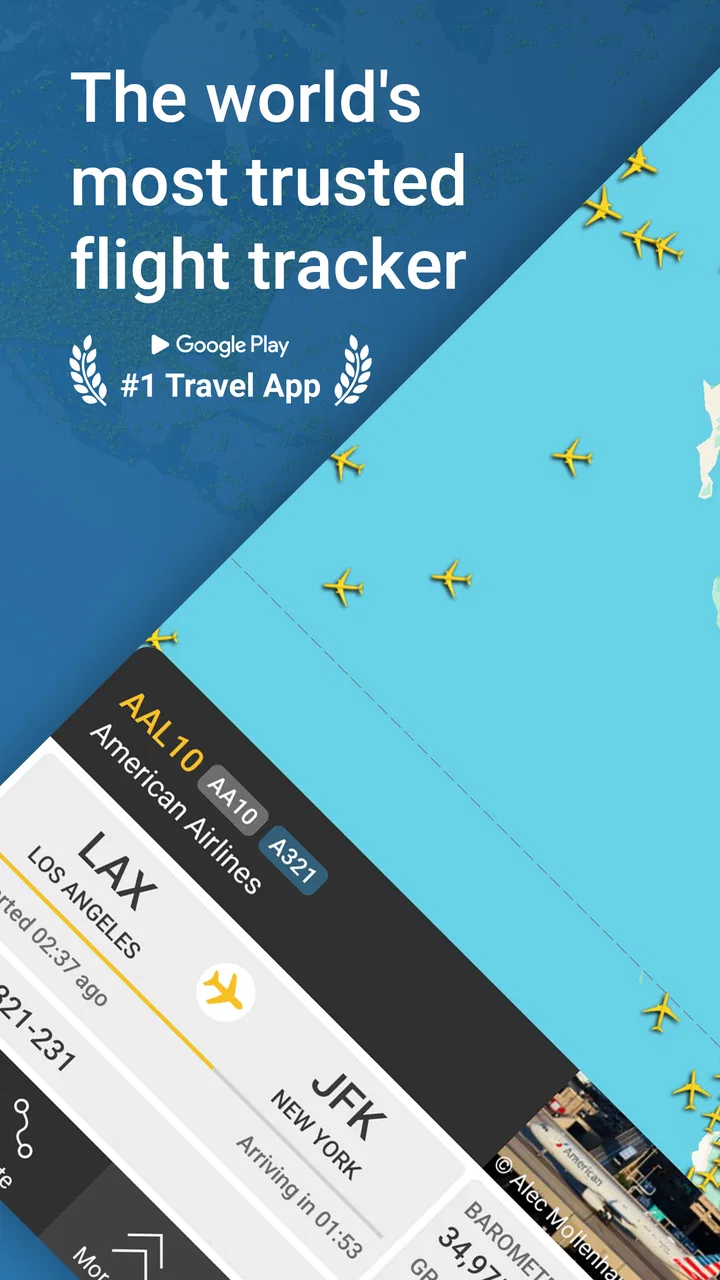
Flightradar24 Flight Tracker
- 4.5
- Rating
- 100.00M
- Installs
- Free
- Price

 Analysis by App-foxy
I use Flightradar24 Flight Tracker when I want to see what is happening in the sky rather than simply check whether a flight is late. It turns a phone into a live-looking map of aircraft activity, with flight-following tools that make travel planning, airport visits, and even casual plane watching much more engaging. After spending time with it, my view is that it is one of the most useful travel apps for people who enjoy understanding the journey itself, not just reading a departure time.
It is a free travel and local app from Flightradar24 AB, available for everyone to use. The app has been around since September 2010, and its audience is substantial: it has passed one hundred million installs, with an average rating of 4.5 from roughly 635,000 ratings and about 16,000 written reviews. Those figures do not automatically make an app good, but here they fit my experience: the core idea is easy to understand, the map is immediately useful, and the app can become a regular travel companion once you learn how to use it.
What the app actually gives you for free
The important starting point is cost. You can install Flightradar24 without paying, and the free access is enough to understand its main purpose: tracking aircraft and following flights through a real-time flight tracker. That makes it practical for checking a flight before leaving for the airport, watching a family member’s journey, or identifying an aircraft passing overhead.
In-Depth Coverage of Flightradar24 Flight Tracker
There are in-app purchases ranging from $1.49 to $64.99 per item. I would not treat those prices as a single subscription promise or assume that every user needs to pay. The sensible approach is to begin with the free experience, decide whether the map and flight-following tools fit your routine, and only then consider whether an optional purchase adds enough value for you.
That distinction matters because the app is not equally valuable to everyone. A person who checks one flight a year may find the free access perfectly adequate. Someone who follows several journeys each month, studies aircraft movements, or spends time near airports may appreciate paid access more, but the benefit depends on how often those extra capabilities would actually be used. Do not pay simply because the map looks impressive; pay only if the app has become part of your regular travel habits.
The age rating is Everyone, which matches the straightforward nature of the service. There is no complicated learning barrier in the basic workflow: open the map, locate an aircraft or search for a flight, and inspect the information available on screen. The challenge is not safety or complexity so much as deciding which details matter to you.
A useful first-day workflow
When I first open the app before a trip, I do not start by exploring the entire map. I search for the flight I care about and save the relevant details mentally or through the app’s available follow-up tools. Then I look at the airport area and the aircraft’s position. This gives me a better sense of whether the flight is still moving normally than repeatedly refreshing a generic airline page.
For a realistic everyday example, imagine that a friend is flying in to visit. Instead of asking them to message you after landing, you can follow the flight while finishing work or preparing dinner. If the aircraft is still approaching, you know roughly when to leave. If the route changes or the arrival takes longer than expected, the map gives you context that a simple “delayed” label often does not.
I also find the map useful for airport pickups because it helps separate the scheduled arrival from the actual progress of the aircraft. That is not a replacement for checking terminal instructions or pickup rules, but it can reduce the pointless waiting that comes from arriving too early.
Why the live map is more useful than a basic flight status page
A normal airline app is usually better for booking, managing a reservation, checking baggage information, and receiving messages tied to your ticket. Flightradar24 serves a different purpose. It is built around the movement of aircraft, so it is more interesting when you want a wider view of what is happening around an airport or along a route.
That broader view is the app’s strongest quality. A standard flight-status screen may tell you that a plane is scheduled, boarding, delayed, or landed. Here, the visual relationship between aircraft, airports, and routes gives the information more meaning. You can see whether the aircraft is still far from its destination, already circling nearby, or moving away from the airport after departure.
This is especially helpful when the airline’s wording feels vague. “On time” does not tell you where the aircraft is. A map can answer that question faster, provided you understand that live tracking is a practical guide rather than a guarantee of exact timing. I use it for situational awareness, not as permission to ignore official airport or airline instructions.
The app is also more enjoyable than a conventional travel utility. I can open it while waiting at an airport and identify the traffic moving around me. At home, it turns an otherwise ordinary sound overhead into a small investigation: what is flying above, where did it come from, and where is it going? That curiosity is not essential to travel, but it is a genuine reason the app remains installed.
Three less obvious ways I use it
First, I use the map as a timing aid when collecting someone. I do not rely on the aircraft position alone, because taxiing, gates, baggage, and airport traffic still take time. Instead, I treat the live position as the start of a wider estimate. If the plane has not reached the airport, I stay home longer; once it is close, I check the airline’s arrival information and begin planning the drive.
Second, I use it to understand airport congestion. A cluster of aircraft around an airport can explain why several arrivals appear slow or why departure activity feels unusually busy. It does not replace official delay notices, but it offers visual context that helps me interpret them. This is particularly useful when traveling through an unfamiliar airport and trying to understand whether a disruption affects one flight or a larger flow of traffic.
You May Also Like

 Lords Mobile: Kingdom Wars
Lords Mobile Is a Kingdom-Building Routine, Not a Quick Match
A case-by-case verdict on the building, battles, device demands, and social commitments that make Lords Mobile rewarding for some players and exhausting for others.

 PDF Scanner app - TapScanner
TapScanner Makes Paperwork Easier to Capture, Check, and Share
TapScanner makes scanning with a phone feel less like a rescue operation and more like a dependable step in getting work done. Its capture tools are useful, though not flawless.

 Block Blast!
Block Blast! Shows How Much a Puzzle Game Can Leave Out
A quiet grid game shows why puzzle players increasingly value instant clarity, repeatable skill and low-pressure play—and where the genre still needs to catch up.

 Family Space
Family Space Review: A Shared Routine That Makes Family Life Easier
A parenting app earns its place not by adding more noise, but by making everyday coordination easier. Family Space gets that balance mostly right.

 1Weather Forecasts & Radar
1Weather Forecasts & Radar Makes the Daily Check Worthwhile
A good forecast does more than predict rain. This week's pick turns changing conditions into a clear, practical reason to check before you step outside.

 Clash of Clans
Clash of Clans Makes Patience Part of the Strategy
A village builder with a sharp tactical core, Clash of Clans turns patience into momentum and each raid into a small, satisfying act of judgment.
More From Our News Desk
View All News


Third, I use it for plane spotting without needing to know the aircraft in advance. Rather than waiting for a recognizable airline livery, I can look at the map when I hear an engine and investigate what is nearby. This makes the app appealing even on days when I am not traveling. It is a small but distinctive advantage over airline-specific tools, which naturally focus only on their own reservations and operations.
Another practical habit is to check the route before leaving home, then check again only when there is a reason. Constantly watching a moving icon can create the illusion of precision while adding little value. The better workflow is to use the tracker at decision points: before departure, while arranging a pickup, during a connection, or when an unexpected delay needs context.
Where the experience can become frustrating
The live map is also the source of the app’s main weakness. It can feel busy, especially around major airports where many aircraft appear at once. For a first-time user, the amount of movement and information may be more distracting than helpful. I had to develop the habit of narrowing my attention to one flight or one airport instead of trying to understand everything visible on screen.
There is also a difference between seeing an aircraft and knowing exactly what will happen next. A plane can be close to its destination while passengers still face a wait for a gate, baggage, or ground transport. If you use the map as a precise arrival countdown, you may leave too late for a pickup or become unnecessarily anxious. I recommend combining it with the airline’s official updates and the airport’s own information.
Another trade-off is that the app can encourage overchecking. During a disrupted trip, I found myself refreshing the flight position even though the next meaningful update was outside my control. The tracker is excellent at showing movement, but movement does not always equal useful progress. If you are prone to travel anxiety, set a simple rule: check when you need to make a decision, not every few minutes.
The free-versus-paid question can also create friction. The free version makes the concept easy to try, but users who want a deeper or more frequent tracking experience may encounter optional purchases. Since the available purchase range is broad, I would examine each option carefully rather than assuming the most expensive choice is automatically the best value. The right purchase depends on whether you are a casual traveler, a frequent flyer, or an enthusiast.
For someone who only needs booking management, boarding information, loyalty benefits, or baggage instructions, this is not the first app I would recommend. The airline’s own app is usually the more direct place to handle those tasks. A general map service may also be better when your real concern is driving to the airport, finding a hotel, or navigating public transport after landing.
What it cannot replace
I would not use Flightradar24 as the sole authority for a missed connection, a gate change, a cancellation, or a visa-related travel decision. Those situations require official sources. The tracker adds location and context, but it is not a substitute for the airline, airport, or travel documents that control what you can actually do.
It is also not the best choice if you dislike visual interfaces. The app’s appeal comes from watching aircraft on a map and exploring movement. If you prefer a quiet list of times and alerts, a simpler flight-status tool may feel faster and less demanding. This is a specialized strength, not a flaw for everyone, but it is an important distinction before installing it.
Who will get the most value from it?
Frequent travelers are the obvious audience. If you regularly meet people at airports, take connecting flights, or monitor several journeys, the live view can save time and reduce uncertainty. I particularly like it for airport pickups because it helps me decide when to start traveling without pretending that touchdown means the passenger is already outside.
Families can also find it useful. Parents waiting for a child, relatives following an international arrival, and friends coordinating a pickup all benefit from seeing the journey progress. The map creates a shared point of reference, which is often easier than exchanging vague messages about whether the plane has “just left” or is “nearly there.”
Plane enthusiasts are likely to enjoy it the most. The app turns ordinary air traffic into something searchable and observable. Even if you never buy anything, the free access can provide plenty of entertainment when you are near an airport or simply curious about the aircraft overhead.
It is less compelling for travelers who fly rarely and already receive everything they need through an airline’s notifications. If your only question is whether your booked flight is delayed, opening the airline app may be quicker. Likewise, people who want a full trip organizer should look elsewhere, because this app’s focus is aircraft tracking rather than itinerary management.
Privacy-conscious users may also want to think about their habits before turning tracking into a constant routine. I do not see a reason to follow every flight simply because the option is available. Use it for a clear purpose, avoid sharing travel details unnecessarily, and remember that a public-looking aircraft map does not make every travel detail appropriate for public discussion.
How I would decide whether to buy
I would start with the free version during a real trip rather than testing it only from the sofa. Follow one flight, use it for a pickup, and compare the information with the airline’s official status. If the additional detail helps you make decisions or adds meaningful enjoyment, then an in-app purchase may be worth considering.
I would skip paid access if I open the app only when I hear an airplane overhead or once every few months. The free experience already demonstrates whether you enjoy the map, and occasional curiosity does not justify spending automatically. The fact that purchases can reach $64.99 per item makes it especially important to judge the value against your actual frequency of use.
For frequent flyers, the decision is more nuanced. Paid access can make sense when the app supports a repeated workflow, such as monitoring family arrivals, checking multiple routes, or spending time on aircraft research. But I would still compare the purchase with the features you already receive from airline apps and other travel services. Paying for overlapping information is poor value, even when the app itself is well designed.
My verdict after using it as a travel companion
Flightradar24 Flight Tracker succeeds because it answers a question many travel apps ignore: where is the aircraft right now, and what is happening around it? The free installation makes it easy to try, the Everyone rating keeps it approachable, and its long presence in the travel category shows that the idea has lasting appeal. I understand why it has attracted more than one hundred million installs and such a large rating base.
My recommendation is strongest for frequent travelers, airport pickup drivers, families waiting for arrivals, and anyone who enjoys aircraft. The app gives those users information that feels more immediate than a basic flight-status list. Its best feature is not merely the moving map; it is the context the map provides when a schedule alone leaves you guessing.
I would recommend skipping it if you want reservations, boarding passes, loyalty management, or a complete itinerary in one place. I would also avoid paying until the free version has proved useful in your own routine. The optional purchases may offer value for committed users, but they are not automatically worthwhile for occasional travelers.
Overall, I see it as a focused tool rather than an all-purpose travel app. Used sensibly, it helps me plan pickups, interpret delays, and enjoy the activity above an airport. Used obsessively, it can turn uncertain travel into a screen-watching habit without giving me more control. Try the free experience first, keep official airline information as your final authority, and pay only when flight tracking has become a real part of how you travel.
FAQs for Flightradar24 Flight Tracker
01What features does Flightradar24 Flight Tracker offer?
Flightradar24 Flight Tracker provides real-time flight tracking, allowing users to see live air traffic from around the world. Key features include detailed flight information, 3D view, historical data, and airport information. Users can also set up custom alerts for specific flights and access weather overlays for enhanced tracking.
02Is Flightradar24 Flight Tracker free to use?
Flightradar24 offers both a free version and a paid subscription. The free version provides basic tracking features, while the paid subscription offers additional features such as more detailed flight data, access to historical data, and an ad-free experience. Users can choose between Silver, Gold, or Business plans for enhanced features.
03How accurate is the flight tracking on Flightradar24?
Flightradar24 is renowned for its high accuracy, using a network of over 25,000 ground stations worldwide to provide real-time data. While it covers the majority of flights globally, there may be occasional gaps in coverage due to geographic or technical limitations. The app strives to provide the most accurate and up-to-date information possible.
04Can I use Flightradar24 Flight Tracker offline?
Flightradar24 requires an active internet connection to provide real-time flight tracking. Without an internet connection, users cannot access live flight data or updates. However, users can access some previously viewed data offline, but this will not include any real-time updates or new flight information.
05Is Flightradar24 Flight Tracker available on both Android and iOS?
Yes, Flightradar24 Flight Tracker is available for both Android and iOS devices. Users can download the app from the Google Play Store for Android devices and from the Apple App Store for iOS devices. The app is regularly updated to ensure compatibility and provide the latest features across both platforms.
Pros
- Real-time flight tracking is highly accurate.
- User-friendly interface for easy navigation.
- Comprehensive flight details available.
- Customizable alerts for flight updates.
- Global coverage with extensive data sources.
Cons
- Free version has limited features.
- Occasional ads can be intrusive.
- Requires stable internet connection.
- Premium features are subscription-based.
- Some data may be delayed during high traffic.

Flightradar24 Flight Tracker
Gallery